This article relates to the following printers (manual/driver pages linked)
Epson ColorWorks TM-C3500a
Manual
https://support.epson.net/setupnavi/?PINF=bsmanual&OSC=WS&LG2=EN&MKN=TM-C3500
Drivers
https://support.epson.net/setupnavi/?PINF=swlist&OSC=WS&LG2=EN&MKN=TM-C3500
Epson ColorWorks CW-C4000e
Manual
https://support.epson.net/setupnavi/?PINF=bsmanual&OSC=WS&LG2=EN&MKN=CW-C4000e
Drivers
https://support.epson.net/setupnavi/?PINF=swlist&OSC=WS&LG2=EN&MKN=CW-C4000e
Epson ColorWorks C6500Ae
Manual
https://support.epson.net/setupnavi/?PINF=bsmanual&OSC=WS&LG2=EN&MKN=CW-C6500Ae
Drivers
https://support.epson.net/setupnavi/?PINF=swlist&OSC=WS&LG2=EN&MKN=CW-C6500Ae
The Even Pass labels are the following spec
Label Size 108mm x 276 mm Fanfold with 3mm Gap, (t180 x 276 is the full label size that folds into two)
The Design area needs to be 108 x 276 mm, and include the front and reverse on one page.
With fan fold media ensure the "paper feed guide" located in the back of the machine is installed as per p75-77
and the fanfold media is on a level surface, square on behind the printer p78-79
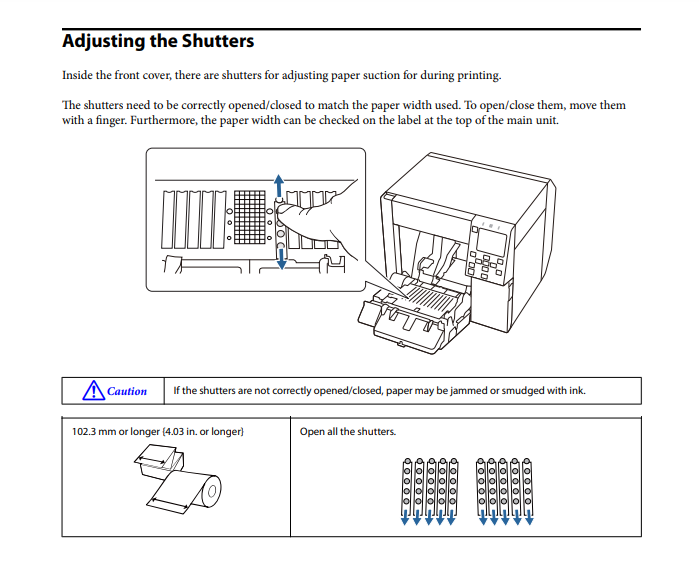
Make sure the shutters are set correctly p80-81
IMPORTANT With our fanfold Even pass media , it is important not to calibrate the gap sensors , doing so can make it over sensitive . The lanyard slot + kiss cut can get picked up as a "gap" intsead of the actual gap. Picture below..
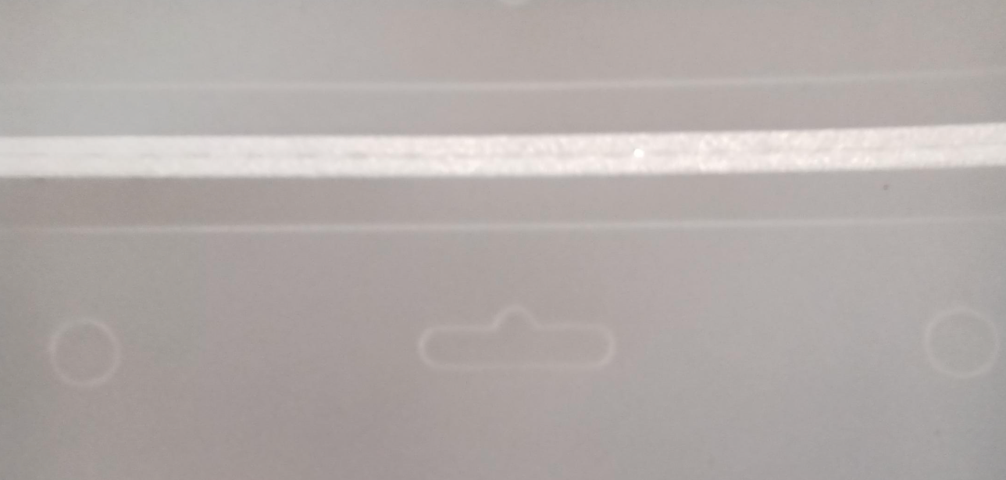
Symptom is printer does not stop consistently at gap between fanfold pass.
Solution = reset media sensor
Menu > General Settings > System Admin > Restore Default Settings > (restore) Media Detect Settings.
Epson Drivers ( Ensure the exact model driver eg C4000Ae is used)
https://support.epson.net/setupnavi/?PINF=category&OSC=WS&LG2=EN&GROUP=color_works
Definition- Ensure you click "Media Definition" and define the EventPass
Width 108 mm
Height 276 mm
Label Gap 3mm ,
Left & Right Gap 3mm
Media Coating Type - Synthetic
Print Quality - Quality
Spot Color Settings - No Spot Color
Settings for Paper Handling - At User descretion
### need to add media handling setting PW ###
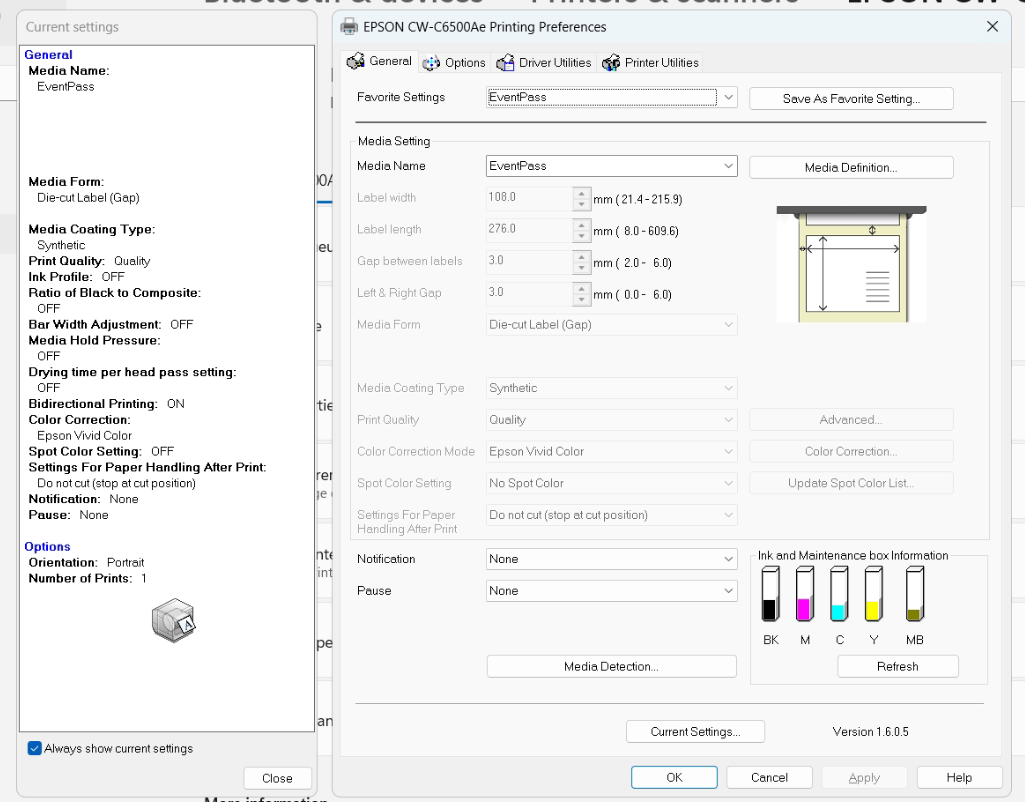
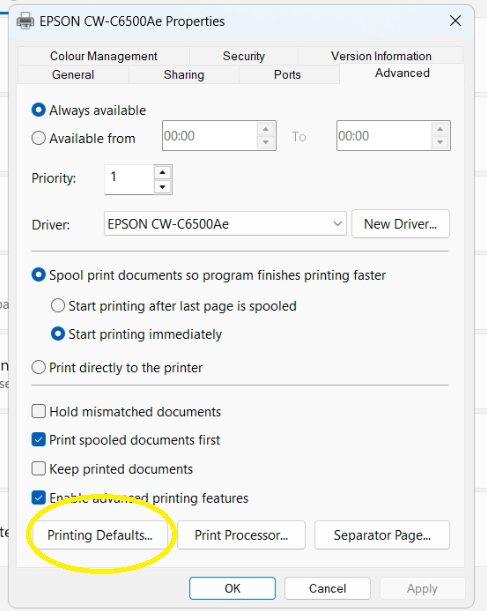
Ensure the same settings are set via Printer Properties > Advanced tab > Printing Defaults in the driver.
It is important to ensure the fanfold event labels are at least 10cm away from the back of the printer and they are straight true with back of the printer to assist with feeding and should be on the same level as the printer.
The Epson C3500 and C4000 also need to have All shutters open as described below.
Was this article helpful?
That’s Great!
Thank you for your feedback
Sorry! We couldn't be helpful
Thank you for your feedback
Feedback sent
We appreciate your effort and will try to fix the article