If you navigate in Windows to:
Printers & Scanners > Smart 81 > Printer Properties > Service > Config printer:
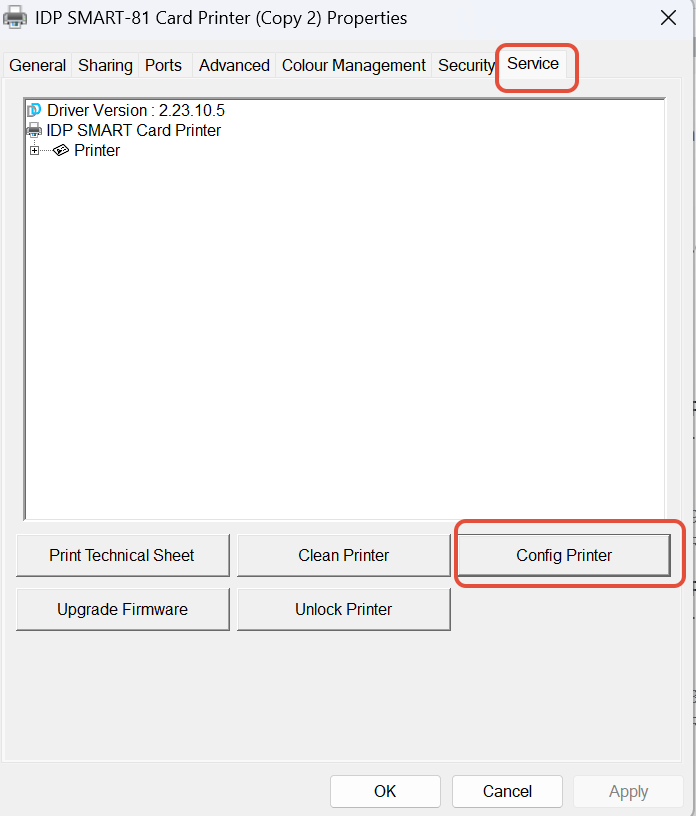
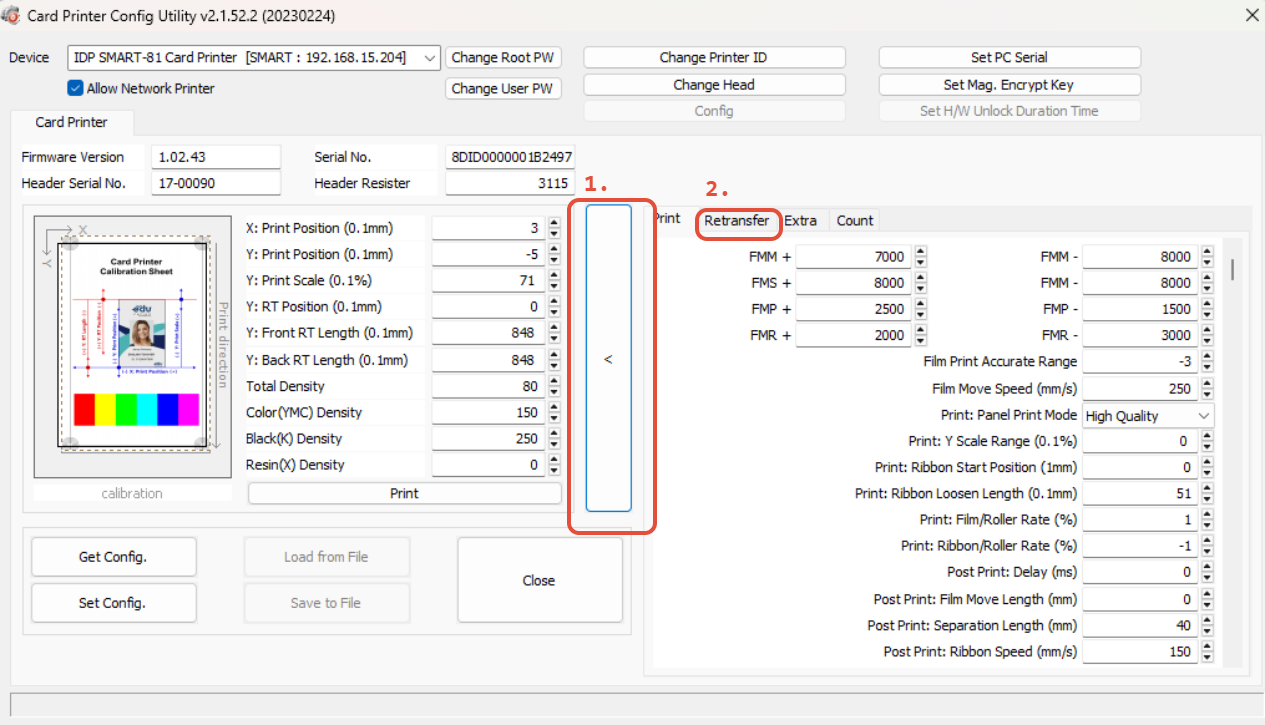
This will open a new window, in this window, if you are prompted for a password, just leave the field blank and click 'Okay'.
Then, you will see an arrow on the right of the window to expand it and show more options, click this. And finally, click the 'retransfer' tab:
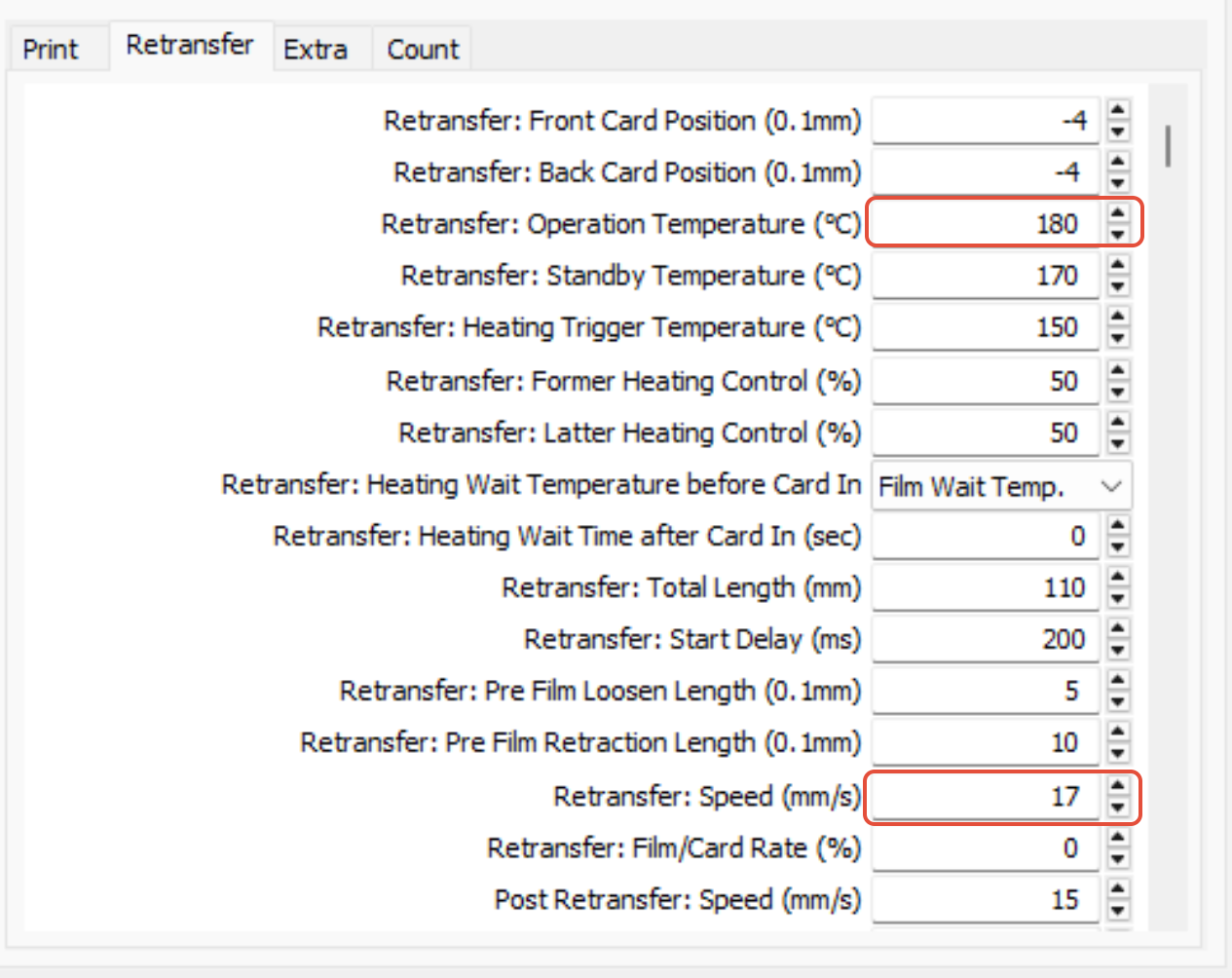
Try increasing the retransfer operation temperature (highlighted in the screenshot below). I would make small incremental adjustments and do a test print each time. As tempting as it may be, making one large adjustment could over do it and cause further issues if the printer overheats, it could damage the cards.
You can also lower the retransfer speed. Again, just make small adjustments and test until you find the sweet spot.
Was this article helpful?
That’s Great!
Thank you for your feedback
Sorry! We couldn't be helpful
Thank you for your feedback
Feedback sent
We appreciate your effort and will try to fix the article